Are you encountering the error “Socket API read error: An established connection was aborted by the software in your host machine” when resetting your printer with WIC Reset Utility?
Let’s figure out what’s causing it and how to fix it.
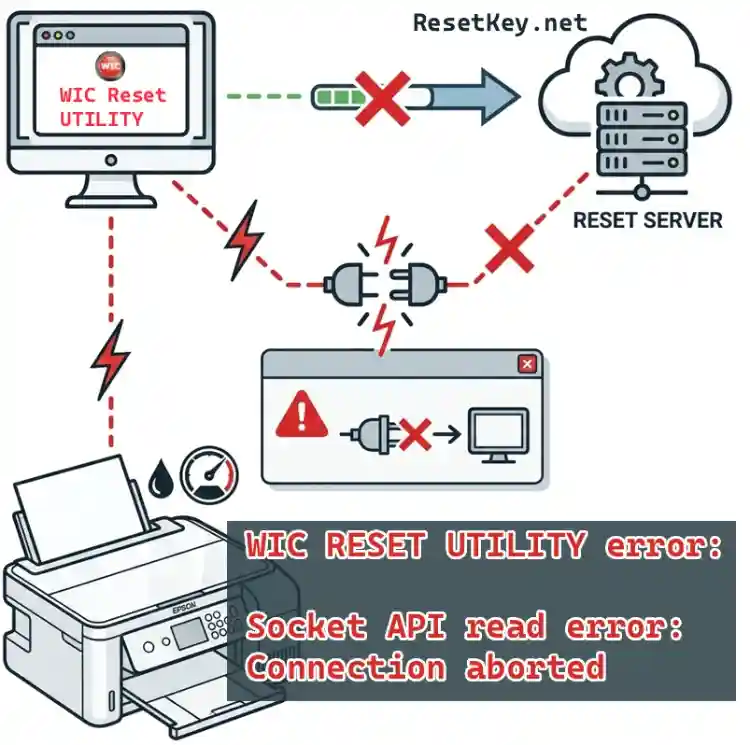
Common errors when using WIC Reset Utility are usually: “Query is rejected“, “WIC Reset not responding“, “I/O communication error“.
However, the “WIC Reset Socket API read error” (also known as connection aborted by host machine) is reported less frequently, but it’s a fundamental error that can always occur, and the good news is that it can be fixed easily.
What is WIC Reset Utility Socket API read error? Causes and solutions.
Although this article mentions the Canon TS704 printer, this error can occur with other Canon and Epson printer models as well, and the solution is the same.
Real-life story: Customer bought a reset key for Canon TS704 but encountered Socket API read error immediately upon entering the key
Last week, a customer using a Canon TS704 printer (part of the Canon TS700 Series) experienced a situation where the printer started up fine, but printing was blocked, the error light was flashing, and the screen displayed a 5B00 ((waste ink absorber full)) error message.
He reached out to ResetKey.net, downloaded WIC Reset Utility, purchased a reset key, and then put the Canon TS700 printer into Service Mode as we instructed.
However, when he clicked the “Clear Waste Counter(s)” button, he immediately encountered a bright red error message:
He immediately sent a support request to us (ResetKey.net). We received the email and immediately recognized that this error was due to the connection between WIC Reset Utility and the reset server being blocked by settings on his computer.
After sending him instructions via email, he was able to fix the error and proceed with resetting the printer.
Causes of the error
As mentioned above: The Socket API read error occurs when WIC Reset Utility attempts to connect a socket (communication channel) to the reset server to verify whether the reset key is valid, whether the printer can be reset, and to allow the reset to proceed, but the connection is abruptly terminated.
The main reasons for the connection being interrupted could be:
1. Security software on the computer (antivirus such as Windows Defender, Avast, Norton, or firewall) detects “suspicious” activity and blocks it immediately. – This is the leading cause.
Because WIC Reset Utility can interfere with the printer’s firmware, it is sometimes mistakenly blocked.
2. For Epson printers, Epson Status Monitor 3 (printer status monitoring program) may be occupying the USB communication port, causing a conflict.
3. Unstable Wi-Fi or LAN connection – WIC Reset requires a highly stable connection when communicating with the Server, Wi-Fi often causes socket errors.
4. The computer has strict system settings (especially Windows 10/11) that automatically abort the connection.
Thus: This is not an error from the reset key or from the Canon TS704 printer – it’s just that the user’s computer has “blocked” the connection.
Steps to fix the error, which he followed and succeeded.
We advised the customer to try the following in order of priority, and he succeeded. Most people fix it in steps 1–3, step 5 is the fastest “lifesaver“.
1. Temporarily turn off antivirus and firewall.
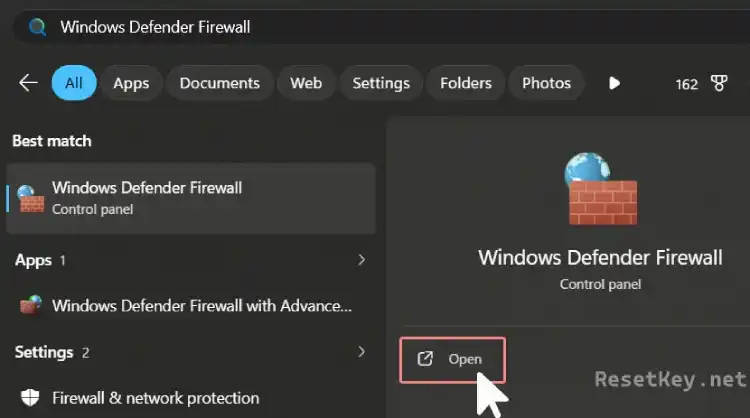
– A quick way is to press the “Start” button, search for the keyword “Windows Defender Firewall” and press “Open” to open Windows Security. (With Windows 11: Go to Settings > Privacy & Security > Windows Security > Firewall & network protection or Control Panel\Windows Defender Firewall).
+ Perform Turn Windows Defender Firewall on or off → OFF for both Private and Public.
+ Also turn off Realtime protection.
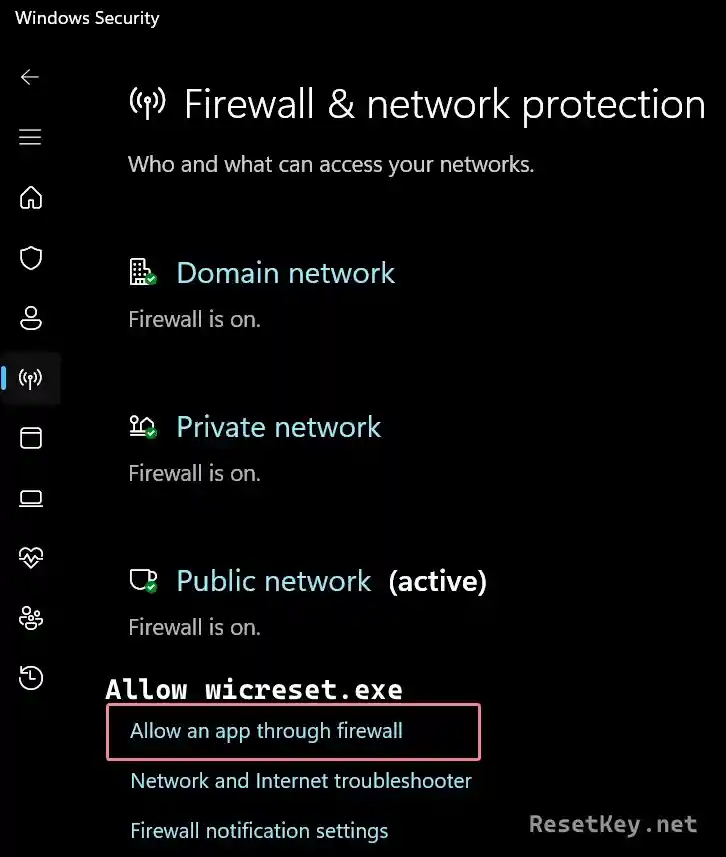
* A safer solution is to use the feature: Allow an app through firewall – that is, allow the software wicreset.exe while keeping the firewall on.
– If you use other antivirus and firewall software such as Avast/Norton/Kaspersky: Temporarily turn off all protection (real-time shield).
– After turning off the firewall, restart your computer and then run WIC Reset again and try entering the key.
Important note: Temporarily disabling antivirus/firewall should only be done during the reset process and turned back on immediately after completion to protect your computer. We are not responsible for any security issues, viruses, or damage that occurs due to disabling protection software. You assume the risk and responsibility when performing these steps.
Suggestion: If the computer you are using has a lot of sensitive data, you should use another computer to reset the printer.
2. Must use a USB cable – Do not use Wi-Fi/LAN.
Connect the printer directly to the computer with a USB cable to ensure the connection is complete and not interrupted. Do not use Wi-Fi/LAN when resetting the printer.
3. Run WIC Reset Utility with Administrator privileges
Find the WIC Reset icon on the desktop, Start menu or in the Folder, then right-click > Run as administrator. Admin rights help the software overcome some Windows system restrictions.
4. Turn off Epson Status Monitor for Epson printers (does not apply to Canon printers)
– Go to Control Panel > Devices and Printers.
– Right-click your Epson printer icon > select Printing preferences.
– In the Maintenance Tab > find and turn off “Epson Status Monitor 3“.
See detailed instructions for different operating systems here: Disable the Epson Status Monitor Utility
This prevents the monitoring program from occupying the USB port, causing a socket conflict.
5. Try on another computer [Fastest solution if the error persists – very feasible]
This is the step that many ResetKey.net customers have taken and succeeded immediately: Switch to another laptop (without heavy antivirus, without “overzealous” security software). Connect USB, run WIC with admin → enter key → reset done.
Note: Before trying any steps, remember to turn off the printer, unplug it for 30 seconds, then turn it back on to clear temporary errors in the printer’s memory.
Conclusion:
If you are experiencing the “Socket API read error: Connection aborted by the software in your host machine” error when using WIC Reset Utility, the top 2 most effective steps are:
1. Turn off security + firewall.
2. Try another computer if needed.
A small tip: with Epson printers, you can try the Read waste counter(s) feature first, if you can read the waste ink counter, you can reset with a reset key.
If it still doesn’t work, open WIC Reset > menu Support > Send error report (send error report with log to the support team for detailed review).
Buy a reset key safely here: BUY RESET KEY
We are always ready to help you reset successfully!
(Updated March 23, 2026 by Mark Denny – Instructions based on actual support experience from ResetKey.net)