Inside every Epson ET-4700 printer, there is a counter called the waste ink counter. It was included by Epson as a solution to limit damage caused by waste ink during use: This could be waste ink spilling and dirtying the work environment, or overflowing ink causing electrical shorts that damage the printer.
Consequently, after a certain period of printing, when the waste ink counter is overflow, the printer will stop working to prevent avoidable damage and show E11 – Ink pad is at the end – Service required error.
Every time the printer performs a head cleaning (this process happens almost every time you turn the printer on from a powered-off state), the waste ink counter increases by about 2%, until it reaches 100%, which is considered full/overflowing.
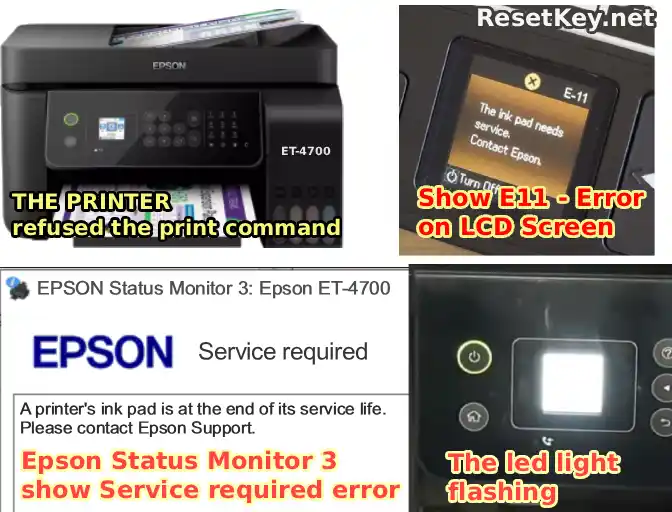
Repair solutions, and how to identify when the Epson ET-4700 printer has a full waste ink counter
Below are some solutions to help you fix the error where the Epson ET-4700 printer has a full waste ink counter:
Solution 1: Take the printer to a warranty center or repair shop (If the machine is still under warranty).
For printers still within the warranty period, due to frequent use, the waste ink counter will fill up soon and reach the overflow state. At this point, please take it to an Epson warranty center to get it repaired for free.
However, if the printer warranty has expired, taking it to a repair center will cost quite a high fee.
Solution 2: Use unofficial Epson Adjustment Programs (Adjprog)
If you take a look around the Internet, you will see solutions using Adjprog or Epson Adjustment Program software to fix the Epson ET-4700 printer.
However, these software options are often expensive or are mostly cracked versions – which can be harmful to your computer
Solution 3: Use WIC Reset Utility software (Trial or Paid).
– This is a solution trusted by many. For those encountering this error for the first time, you can use a free reset key like “trial” or “TRIAL” to reset the waste ink counter of the Epson ET-4700 to 80% to continue using it.
– Or, purchase a reset key for $9.75/key to reset the counter to 0% with the specific steps below:
Step 1: Download the WIC Reset Utility software and install it.
Step 2: Check the printer’s waste ink counter to see if it is actually full?
By using the WIC Reset Utility software, you can read the waste ink counter parameters following these instructions:
– Select the Epson ET-4700 printer on the left side of the program.
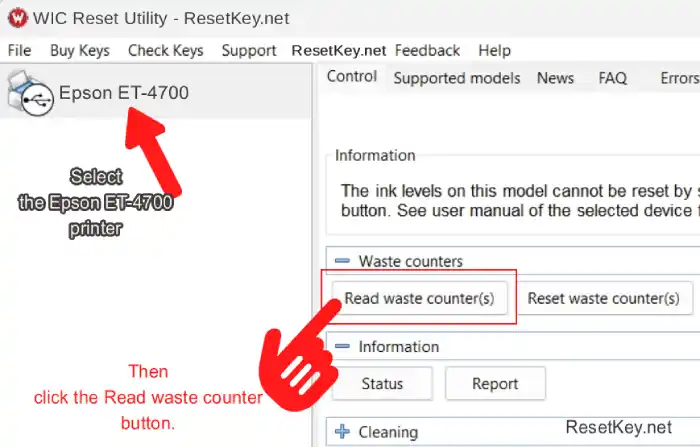
– Click the “Read waste counter” button so the program can read the waste ink counter parameters on the Epson ET-4700 currently connected to the computer.
– If one of the counters is >=100%, it means the printer’s waste ink counter is full. Reset the waste ink counter -> the Epson ET-4700 printer will work again.
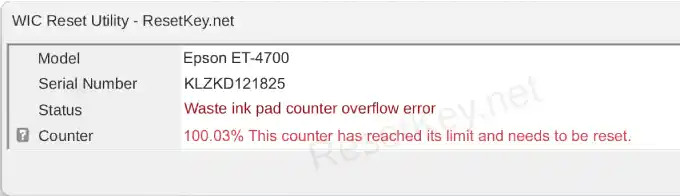
Step 3: Reset the waste ink counter.
– Also select the Epson ET-4700 printer from the list.
– Click the “Reset waste counter” button.
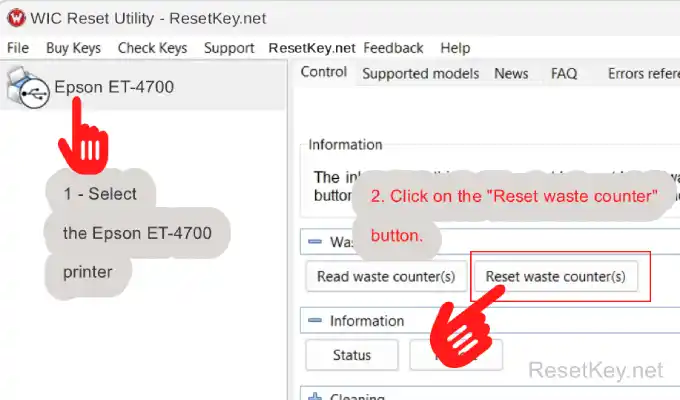
– Enter a free reset key like TRIAL (or trial) or a paid key – You can buy one here, then click OK.
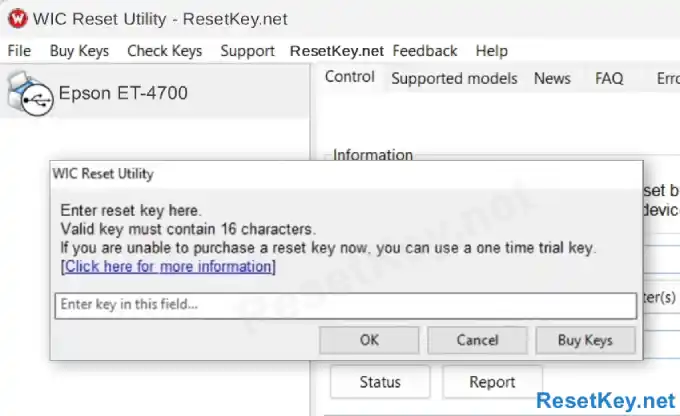
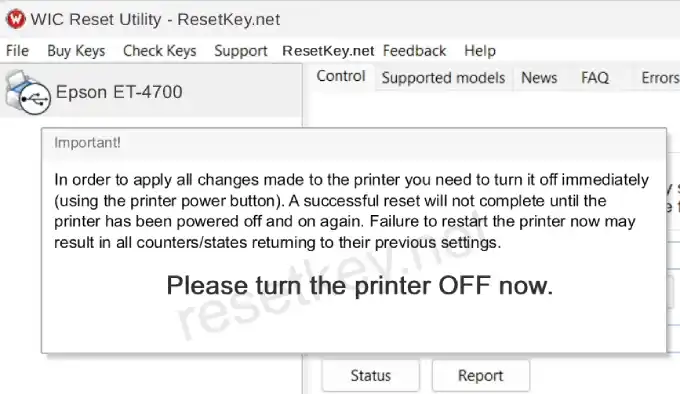
– When the program requests a printer restart, please turn off the Epson ET-4700 using the power button and turn it back on.
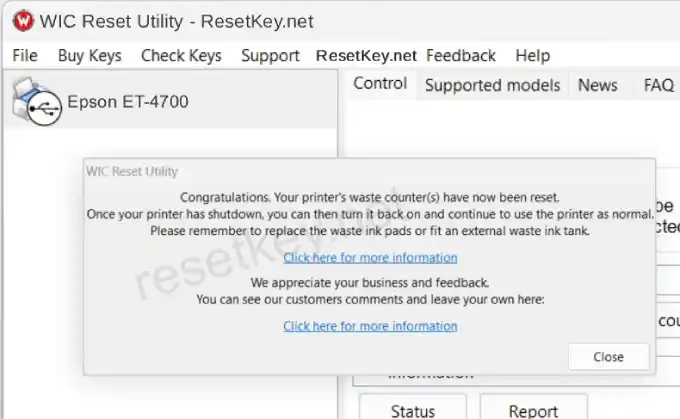
– If the reset is successful, WIC Reset Utility will report “Congratulations. Your printer’s waste ink counter(s)have now been reset“.
– Please run a print job to see if the printer is actually working yet.
Common errors when resetting the Epson ET-4700 and how to fix them.
When resetting the Epson ET-4700 printer with the WIC Reset Utility software, you may encounter some of the following common errors:
I/O communication errors:
This error often occurs when you haven’t disable Epson Status Monitor 3 or due to some other reasons – see details on how to fix it here
Query is rejected error:
This is a common error that often occurs when resetting Epson printers in the ET series, though it may be less common with the Epson ET-4700. If you encounter it, you just need to connect the printer and computer via a USB cable and perform the reset.
WIC Reset Utility software frozen, not responding error:
Most cases encountering this error are due to users using Windows 11. When installing the driver for the Epson ET-4700, they used the built-in Windows 11 driver. To fix this, download the driver for the Epson ET-4700 from Epson.com and install it to resolve the issue.
Error unable to use reset key: trial or TRIAL
Note that each printer can only use the free key once. If you have already used the trial key, please buy a full reset key here [BUY THE RESET KEY] to reset.
Reset key does not exist error:
This error is due to entering the wrong reset key. Please enter the reset key exactly as you received it. If it is still wrong, please contact us to be issued a new reset key.