Download WIC Reset Utility Tool – Epson L3110 resetter to reset Epson L3110 printer waste ink counter overflow – Service Required error and reset flashing lights problem condition on my Epson L3110 printer with WIC Reset Utility Tool.
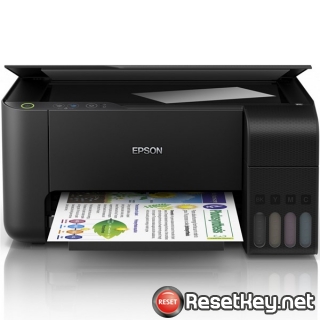
Let’s explore the causes and signs of the Epson L3110 printer’s ink pad counter overflow error, so that we can confidently use the Epson L3110 Resetter (WIC Reset Utility software) to reset the printer. (How to reset)
Epson L3110 Waste Ink Counter Overflow Error and How to Fix It
When a printer experiences an ink waste counter overflow error, it exhibits several symptoms that can be mistaken for other issues. Therefore, review all the signs below to ensure the printer’s ink waste counter is indeed full and not another type of error.
What is Epson L3110 printer’s Waste Ink Counter Overflow error
What is Waste ink counter: Epson L3110 printer and every Epson Printers have an internal Waste Ink Pads to collect the wasted ink during the process of cleaning and printing. When this ink pads reaches its limitation, Epson L3110 will send you Warning alert and refuse to function.
What is Waste Ink Pad: Waste Ink Pads are a number of sponge pads inside your Epson L3110 printer which is responsible for absorbing, receiving, accommodating unused ink during the printer is working, cleaning the printhead. Once these Waste Ink Pads is overflow, the Epson L3110 printer will stop working instantly.
Signs of Errors
1. The printer suddenly stops working: After the printer starts up or after cleaning the print head, it stops operating and displays a “Service Required” error message when a print command is given.
2. At the same time, the printer’s paper and ink lights are flashing.
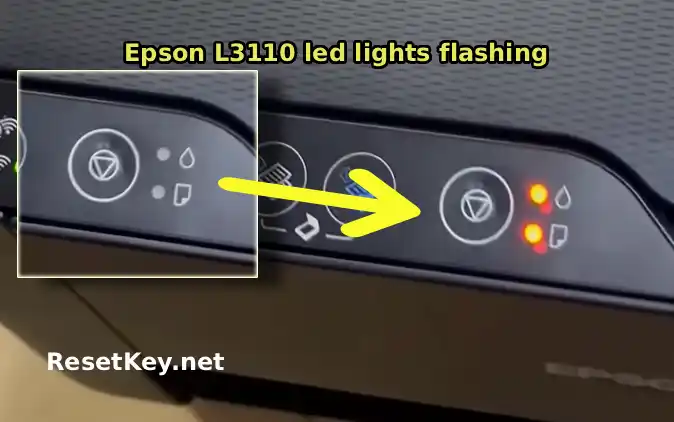
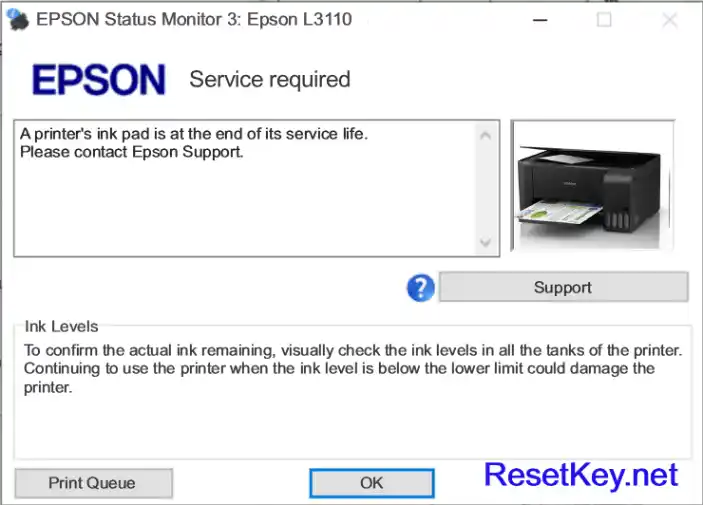
3. Computer show error message: If Epson Status Monitor 3 for the Epson L3110 printer is enabled, it will display the error message “Service Required – A printer’s ink pad is at the end of its service life…” as shown in the image bellow:
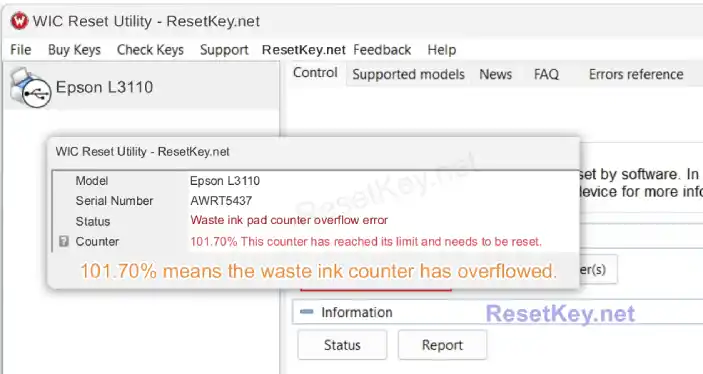
4. Check Waste Ink Counter by WIC Reset: In the absence of any obvious error indications, read the waste ink counter.
Run Wic Reset Utility tool, click “Read Waste Counters” button:
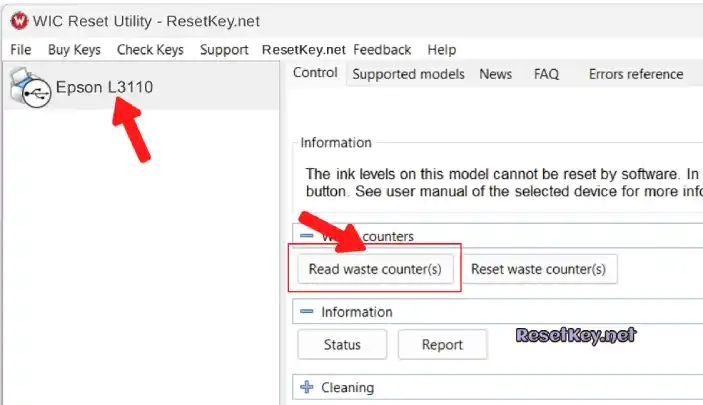
Full counter is 100%. Epson L3110 Waste ink Counter overflow means one of counters values are more than 100%. Specifically, in this case, it is 101.70%.
Here’s how to fix Epson L3110 printer Waste Ink Pads Couter Overflow
Step 1: Free Download WIC Reset Utility Tools
We have both version for Windows and Mac OS X. You can download WIC Reset Utility in [Download Page] and also by direct link below:
Step 2: Purchasing (Reset Key)
The One Time RESET KEY is required for RESET FUNCTION when you are using the WIC Reset utility to reset Epson L3110 printer.
Wic Reset Key for use with Epson Adjustment Program (WICReset on Windows, iWIC on Mac) is available for purchase on ResetKey.net ($9.75 /key)

Step 3: Reset the printer’s waste ink counter.
Reset Epson L3110 printer by Epson L3110 resetter (WIC Reset) is very simple. You can reset by Yourself
This is quick guide:
Before reset Epson L3110 printer:
+ Close all printing job
+ Connect Epson L3110 printer and your computer by USB cable only. (You can’t reset Epson L3110 with WIFI or LAN network)
+ You have to Disable the Epson Status Monitor
+ Connect your computer to the internet.
+ Download, install then open WIC Reset Utility program
Reset Epson L3110 printer’s waste ink counter:
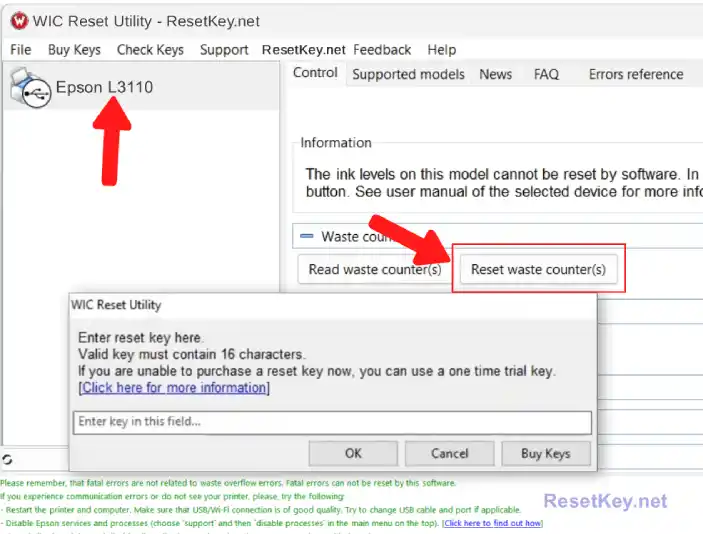
+ Select Epson L3110 printer from the printer list fist. Avoid selecting the wrong printer if multiple printers are listed.
+ Click “Reset Waste Counters” button.
+ Enter Epson L3110 Wic Reset Key you have received in email.
+ Wait a second, when WIC Reset Tool says you turn printer OFF, turn OFF Epson L3110 printer by press Power button:
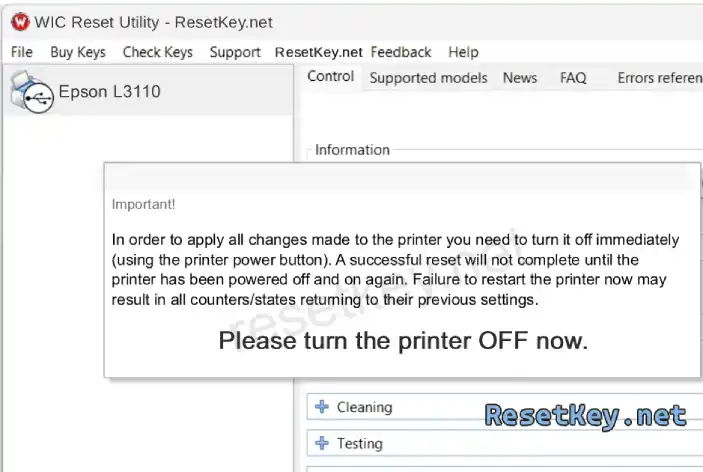
After turn OFF Epson printer, you will receive message:”Congratulations, Your printer waste counter(s) have now been reset”.
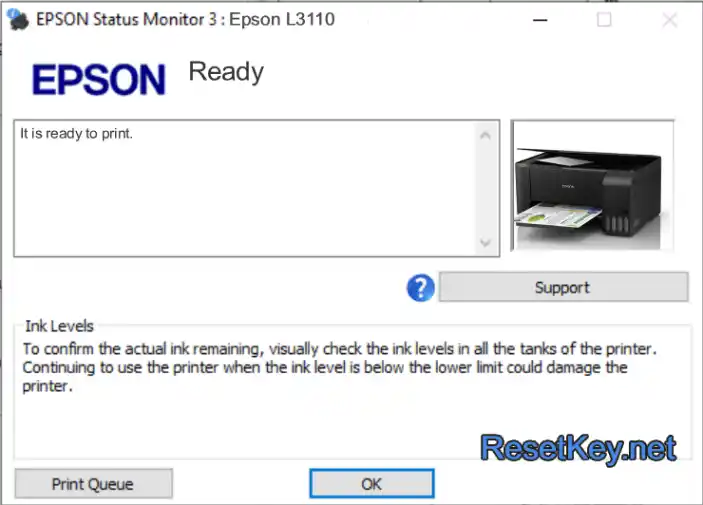
Re-enable Epson Status Monitor 3 and check the status of your Epson L3110 printer; you should see a “printer ready” message. The ink and paper lights should stop flashing.
You can read full instruction here:
+ Watch video how to reset your Epson L3110 printer with WicReset Tools here
If you don’t know what is Epson L3110 printer’s Waste Ink Pad – Read here
If you have any question, please [Click here] to visit F.A.Q page and also you can contact us
Thanks for reading